
The illustration shows the layout of the Agenda home page in a team. This allows you to edit and delete templates, view decisions made in previous meetings, and change the settings for the Agenda app.
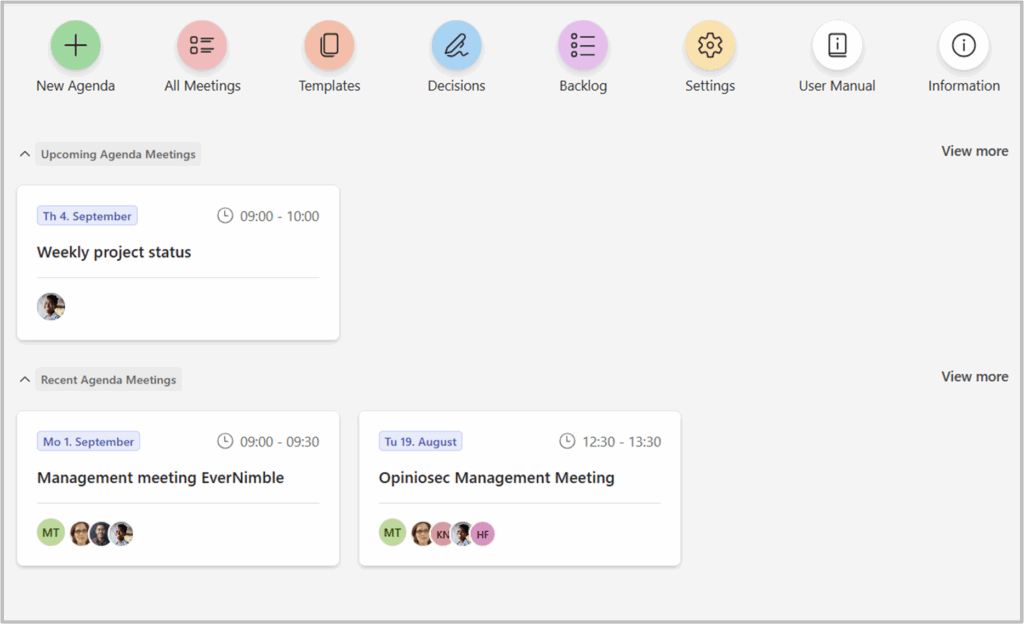
An explanation of the overview: #
- New Agenda: To connect an existing outlook calendar event to Agenda
- Templates: Create or select existing templates
- Decisions: Overview of decisions made in previous meetings
- Detached Items: Overview of Agenda items that have been detached frommeetings
- Settings: Settings for the Agenda app
- User Manual: Links to the Agenda User Manual
- Information: Information about support and version, as well as the first-time introduction wizard.
👉 Today’s, upcoming, and recent agenda meetings are displayed on the home page as meeting cards, providing a clear and comprehensive overview.
To navigate to the desired Agenda, simply click on the meeting card.


